Getting Started
Send a payout invoice via Allscale
When you choose USDC as your payout currency, Tutti pays you by settling an Allscale invoice you create. Follow these three steps, then paste the invoice link back into the Request payment dialog.
Sign in at app.allscale.io, click Invoices in the left sidebar, then click the Invoice — Send invoice to anyone card. In the To (Your client) section, enter email
yucheng.liu@velocity1.coand nameYucheng Liu, then click Save Contact so the recipient is reusable next time.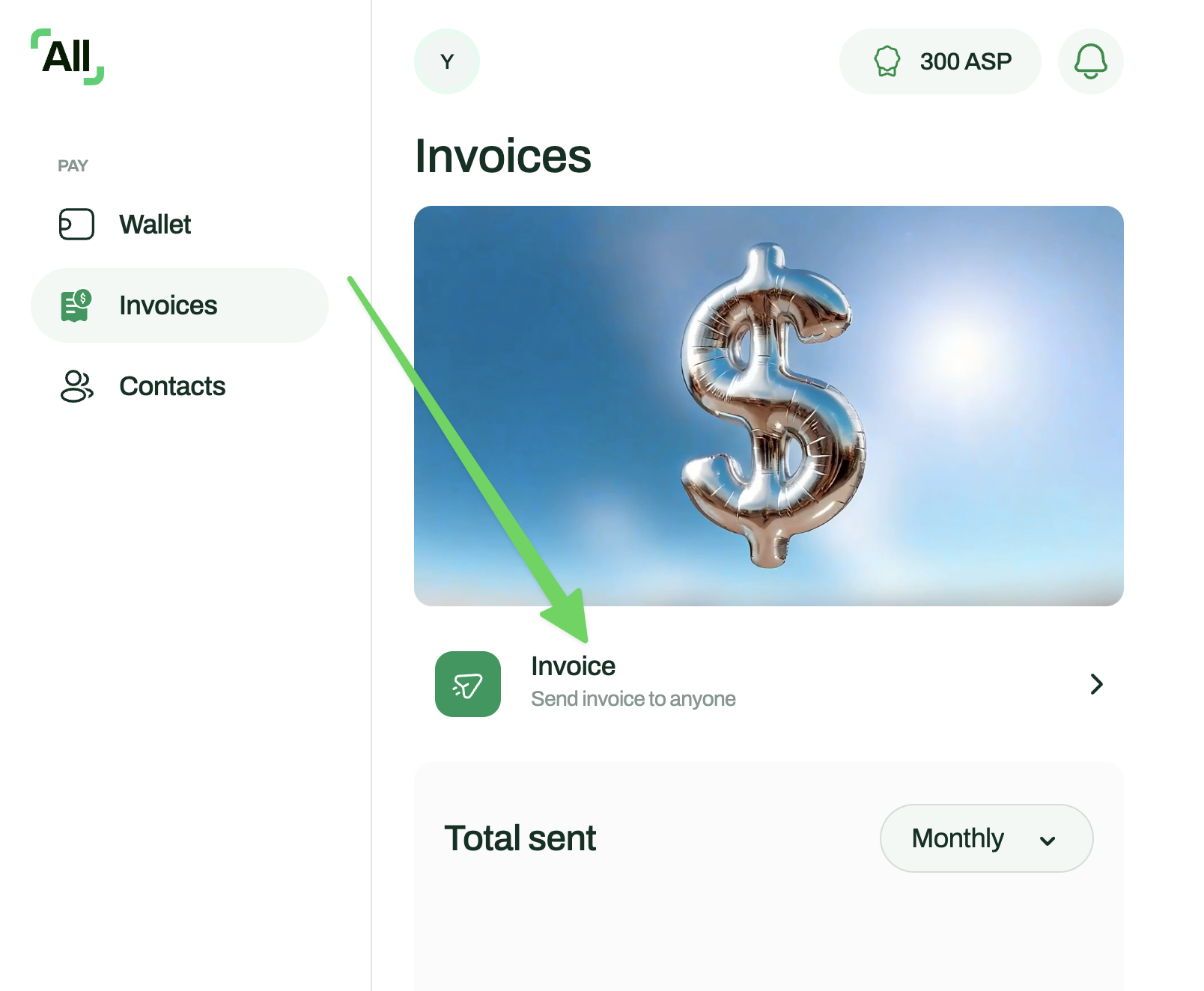
Add one line item — for example
Tutti Campaign, quantity1. The Amount (USD) must match your Tutti payout total exactly (the figure shown in the Request payment dialog). Mismatched amounts get rejected at review.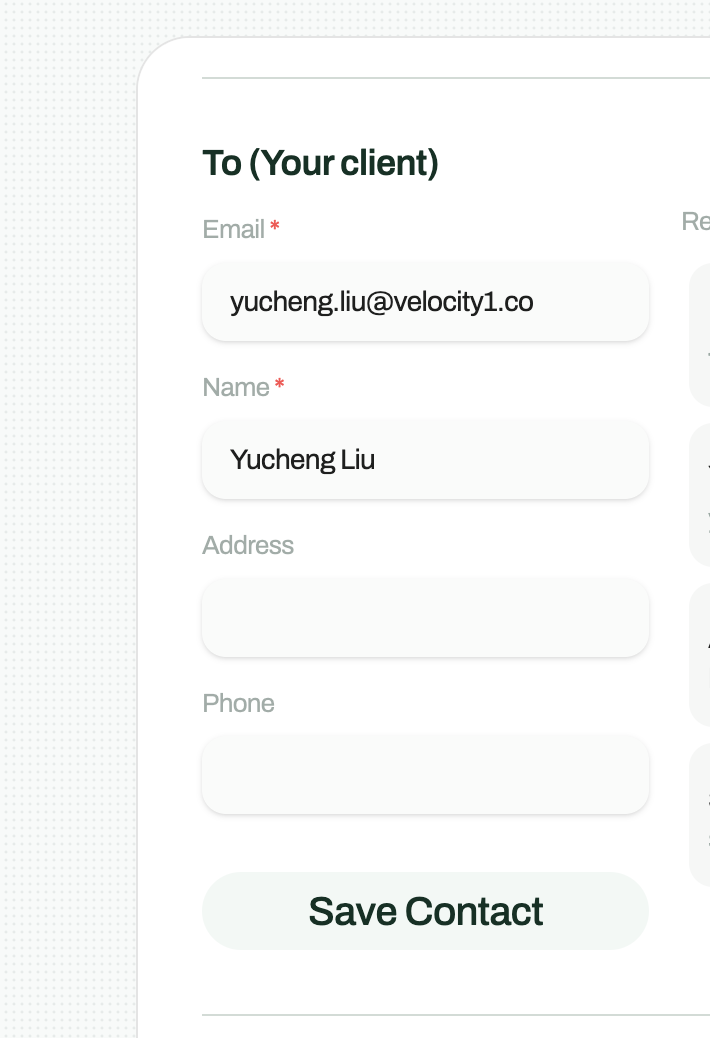
Send the invoice from Allscale and copy the resulting URL — it looks like
https://app.allscale.io/pay/invoice/.... Back in Tutti's Request payment dialog, choose USDC and paste the URL into the Allscale invoice link field, then click Request payment.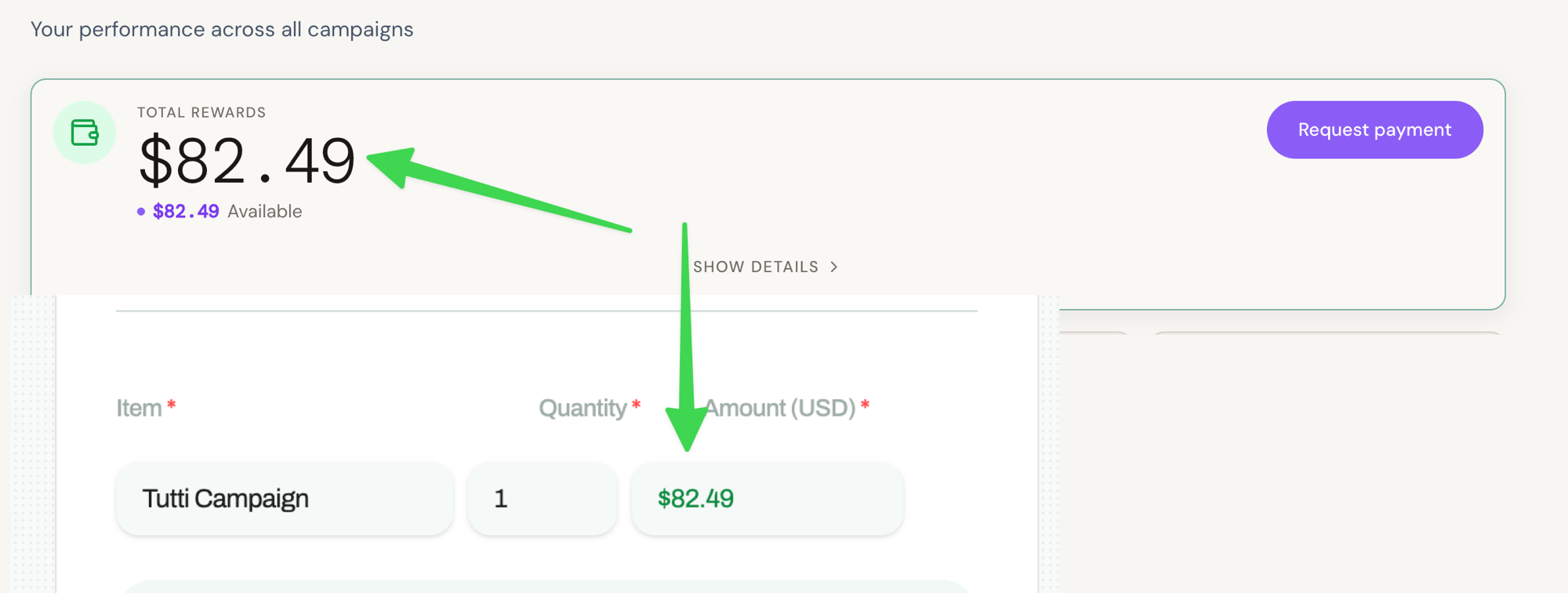
Before you send#
- The invoice amount must match your payout total to the cent.
- Use USD as the invoice currency. Tutti settles in USDC 1:1.
- Don't edit the invoice after Tutti starts processing — settlement will fail.
- Stuck? Email support@tutti.so and we'll get you sorted.